As a working parent spending weekdays at the office, keeping an eye on my kids’ online habits in real time is practically impossible.
For a long time, I took the path of least resistance: relying on iPad’s built-in Screen Time and Apple’s native parental controls. But any parent who has tried this knows the reality—these system-level locks are easily circumvented. Whether a passcode is accidentally spotted, an old device is dusted off, or a new gadget connects to the home Wi-Fi, kids always find a way to stay online.
That led me to a straightforward conclusion: enforce controls directly at the source—our home OpenWrt router.
However, after reviewing the existing parental control and traffic management plugins in the OpenWrt ecosystem, I was disappointed:
- Outdated, unintuitive user interfaces straight out of the early 2010s;
- Fragile filtering mechanisms based solely on DNS interception, trivially bypassed by switching DNS servers or using built-in DoH/DoT;
- Incompatibilities and routing conflicts with transparent proxies like OpenClash or Passwall;
- Commercial router alternatives that require streaming unencrypted family browsing logs to third-party cloud servers.
Unable to find a modern, lightweight, bypass-resistant, and privacy-first solution, I decided to build one myself.
Testing Gemini 3.7 Beyond the Stereotypes
In recent developer discussions, Google’s Gemini models and the Antigravity environment are sometimes dismissed as overly conversational or weak at complex engineering tasks.
I never quite bought into that generalization.
With the recent release of Gemini 3.7 Flash and the positive feedback it garnered across technical circles, I decided to test it as my primary coding copilot inside Google Antigravity. I wanted to see how well it could handle a full-stack, low-level engineering project spanning Linux kernel networking, a Go backend, modern Web frontend, and cross-platform mobile architecture.
The result exceeded expectations.
Throughout the development lifecycle, Gemini 3.7 Flash helped structure and implement:
- Linux Kernel Networking (Netfilter & DPI): Intercepting traffic at top priority in the
mangle PREROUTINGchain withkmod-oafL7 deep packet inspection before transparent proxies can touch it; - Single-Binary Go Daemon: Embedding Vue/HTML static assets via
embed.FSwith zero external runtime dependencies, deployable even on flash-constrained routers with 128MB storage; - Human Activity Token Algorithm: Filtering out continuous background keep-alive noise to measure actual, engaged screen time accurately;
- Responsive Web Console & Mobile Architecture: Building a PIN-protected Web UI and sharing a core Swift library across iOS (SwiftUI) and Android via C-FFI / JNI.
Gemini 3.7 Flash delivered clean, context-aware code and architectural guidance without unnecessary fluff. Given clear context and constraints, it proved to be a capable pairing partner.
What is ParentControl Guard?
The project is called ParentControl Guard.
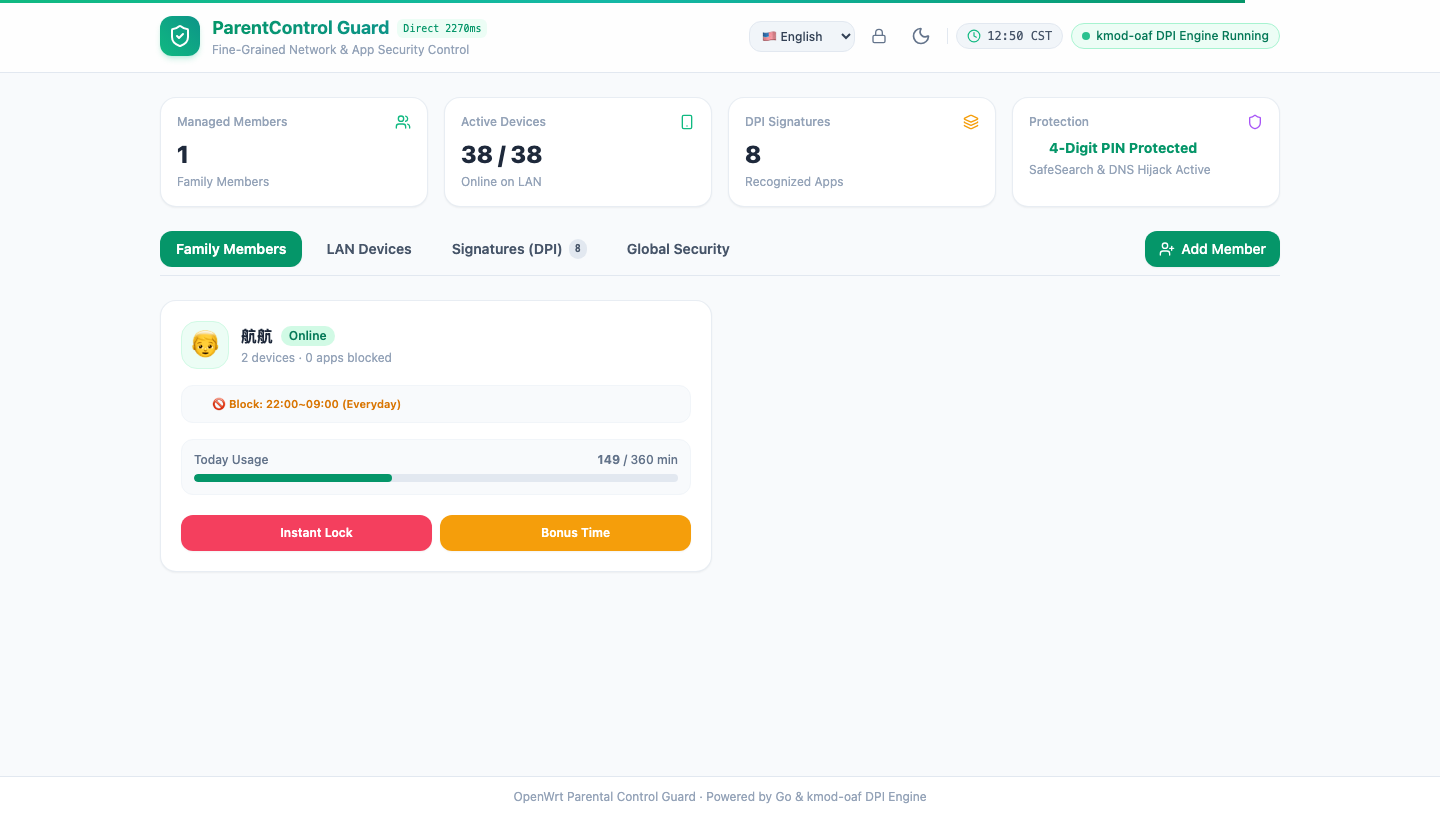
In short, it is a modern, lightweight, privacy-focused parental control system for OpenWrt, featuring kernel-level L7 DPI detection, single-binary deployment, and multi-layered bypass resistance.
Key Features
- Kernel-Level L7 Deep Packet Inspection: Identifies traffic by protocol signatures rather than unreliable DNS lookups. Accurately blocks popular online games, short-form video platforms, and live streams before proxy routing.
- Time Schedules and Token Bucket Quotas: Configurable bedtime network shutoffs alongside daily active screen-time limits (e.g., 90 minutes per day).
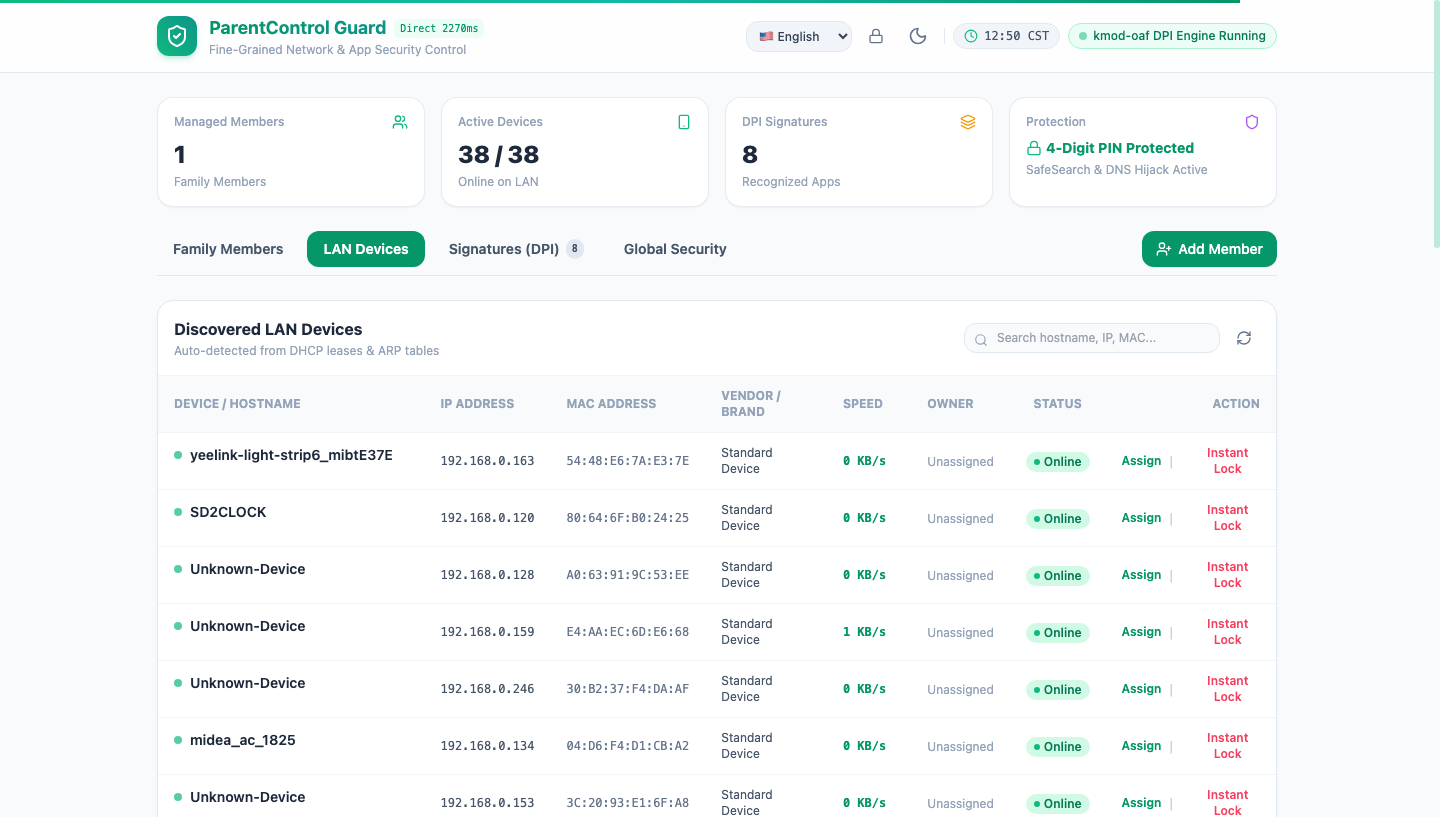
- Multi-Layered Bypass Prevention: Enforces SafeSearch across major search engines, blocks unauthorized DoH/DoT ports, and prevents random MAC evasion.
- Single-File Deployment: Written in Go with embedded assets, requiring no external packages or runtime overhead.
- Remote Management: Supports serverless Cloudflare Workers relay or self-hosted WebSocket relays, allowing instant pause or time-reward adjustments from anywhere over mobile networks.
Open Source and Community Collaboration
Having built a solid foundation and resolved the major edge cases, I have open-sourced the entire project on GitHub.
Why Open Source?
- For Parents and Homelab Enthusiasts: If you are dealing with screen-time management challenges or looking for a clean, reliable router tool, this gives you a private and flexible solution.
- For Community Collaboration:
- Expanding DPI Signatures: As apps and games continuously update their protocols, community contributions to signature sets are very welcome;
- Client Apps: With the Web console and iOS prototype in place, help with refining Android and desktop clients is appreciated;
- Future Ideas: Potential integrations include AI-driven traffic anomaly detection and instant bot notifications via messaging webhooks.
Repository and Documentation
The repository is available on GitHub:
- GitHub Repository: https://github.com/hamguy
- Technical Architecture: View Project Work Documentation
Solving a real daily parenting challenge through code and modern AI tooling has been a rewarding side project. Feel free to check out the repository, submit issues, or open pull requests to help shape the project further.